Background Start
Function Introduction
Thanox's background start function can effectively intercept the problem of apps being secretly started in the background (usually called: associated startup).
Instructions
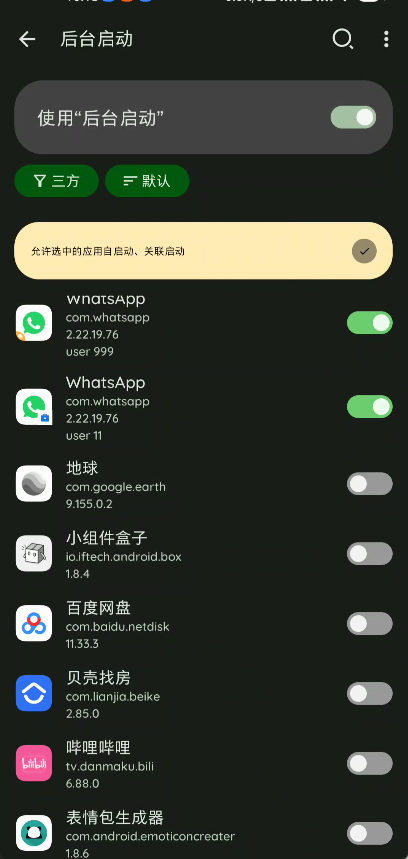
First, you need to turn on the main switch for the "Background Start" function.
By default, Thanox allows all apps to start in the background (some ROMs come with security managers that may also intercept some apps' background startups; by default, Thanox doesn't interfere with anything). If you want to prevent a certain app from starting in the background, simply turn off that app's switch in the app list below.
Note: Blocking the background startup of certain apps may cause some apps to function improperly. For example, Huawei Health needs to start HMS Core. If you block HMS Core's background auto-startup, the health app may not be able to log in normally.
Allow and Block Principles
Thanox determines whether to intercept an app's associated startup based on user configuration, app running status, rules, and other comprehensive factors. To view why an app was prevented from or allowed to start, you can go to the Background Start function and view startup records in the top-right menu. Click on the large number in the center of the chart to enter the startup record details page.
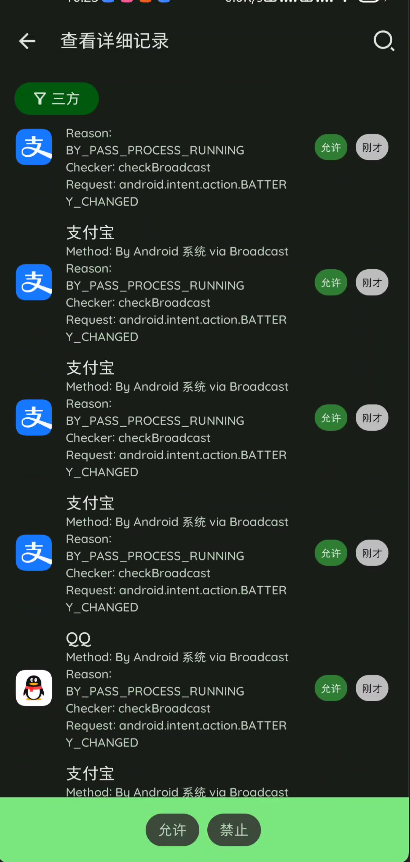
As you can see in the image, each startup record shows the processing result (allowed or blocked) and reason, where BYPASS_XXX represents reasons for allowing and BLOCKED_XXX represents reasons for blocking.
Here is the reference table for BYPASS and BLOCK:
| Allow Reason | Meaning |
|---|---|
| BY PASS WHITE LISTED | Target app is a whitelisted app |
| BY PASS CALLER WHITE LISTED | Caller app is a whitelisted app |
| BY PASS ACCESSIBILITY SERVICE | Target app has accessibility service enabled |
| BY PASS BAD ARGS | Thanox internal error occurred, so allow anyway |
| BY PASS START BLOCKED DISABLED | Background start function isn't turned on, so naturally allow |
| BY PASS UI PRESENT | Target app is in the foreground, also need to allow |
| BY PASS DEFAULT IME SERVICE | Target app is the default input method, need to allow |
| BY PASS PROCESS RUNNING | Target app is already running, need to allow |
| BY PASS SAME CALLING UID | App calls its own components to start, need to allow, also indicates the app is already running |
| BY PASS SMS APP | SMS app |
| BYPASS USER RULE | Allowed due to background start rules |
| BY PASS DEFAULT | Didn't hit any branch, default to allow |
| Block Reason | Meaning |
|---|---|
| BLOCKED STRUGGLE | Target app was just killed, briefly blocking its restart, mainly used to counter some black magic |
| BLOCKED IN BLOCK LIST | Target app had background start disabled by user |
| BLOCKED COMPONENT IS DISABLED | Component to be started has been disabled, such as a particular service |
| BLOCKED STANDBY | Target app has Smart Standby mode enabled |
| BLOCKED USER RULE | Blocked due to background start rules |
| BLOCKED BLOCK API | Blocked via block API |
Rules
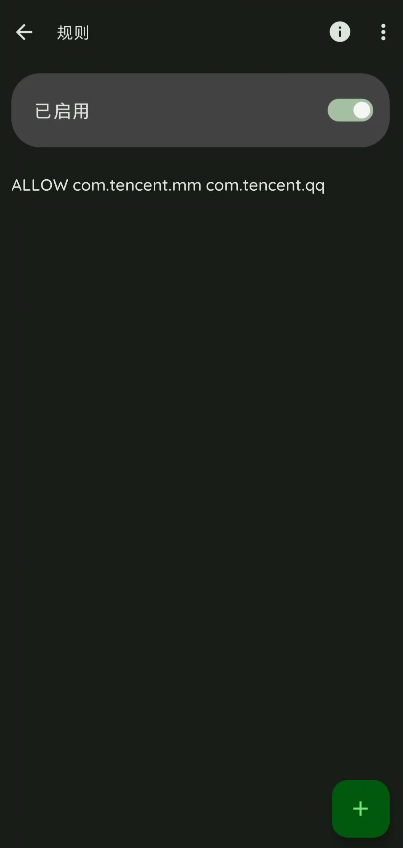
Background start rules can control app background start behavior more precisely; for example, using rules, you can allow WeChat to only be launched by QQ in the background and prevent it from being started by other apps.
Rule Syntax
Rule syntax consists of two parts:
Action: There are two actions:
ALLOW (Allow)、DENY (Deny)Roles: Includes caller app and target app, which are the package names for the two apps respectively, or you can use
THISto indicate an app calling itself.
Example illustrations:
If you want to allow WeChat to start QQ, you can add rule: ALLOW com.tencent.mm com.tencent.qq;
If you want to allow the Android system to start all apps, you can add rule: ALLOW android *;
If you want to deny any app from starting WeChat: DENY * com.tencent.mm.
Convenience:
Supports some commonly used names to replace roles; currently available codes include: SHELL, ROOT.
For example, if you want to allow Shell to start any QQ: ALLOW SHELL com.tencent.qq